Set a repeat for a recipe you'd like to make every few weeks or months. When it comes due, you'll see it as a choice for the week and can pick a night for it.
Set the repeat
- On a saved recipe card, open More actions, then Set repeat schedule.
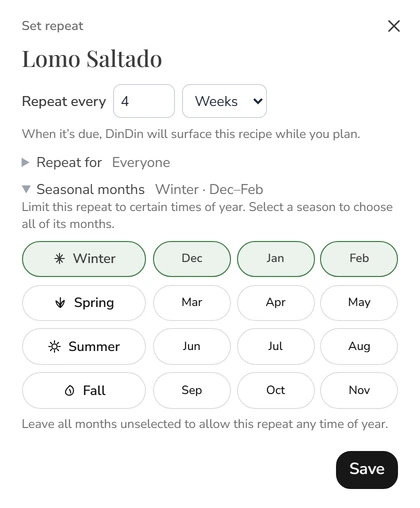
- Under Repeat every, choose how many weeks or months to wait.
- Use Repeat for to pick the people, or choose Everyone to include the household as it changes.
- For a seasonal recipe, pick Seasonal months. Clear the months to allow the recipe any time of year.
- Tap Save.
Use, postpone or stop a repeat
On Calendar, open Plan, then Meals you make regularly to see recipes due this week. Choose a date yourself or use Match to open nights to place several. Finish my week can use due repeats too.
Use Postpone 1 week to bring a due recipe back later. To stop it, use Edit repeat schedule, then Stop repeating. The recipe stays in your library.