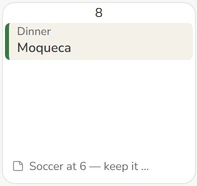
Open a date on Calendar and use Dinner settings for a different dinner time, a different cooking limit or a note for that night.
Change the time or effort
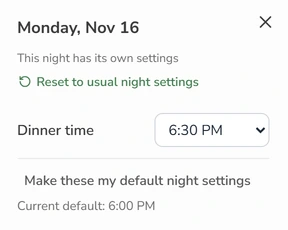
- Open Dinner. In Dinner settings, tap the button that shows the scheduled dinner time.
- Use Dinner time to set when you expect to eat.
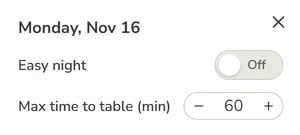
- Set Max time to table (min) to the time you have from starting to serving. Include prep, cooking and waiting. Choose No limit if you don't need a cap.
- Turn on Easy night if you want simpler recipes. This doesn't change the number of minutes.
- Return to the day's meals when you're done.
Changes are for this date. To go back to your normal routine, use the reset button that names the day or group, such as Reset to usual Thursday settings. To change when you usually eat, edit Weekly routine.
If the calendar day shows a Google event, tap the event to open Night settings for that date. Review the event and any changes DinDin made to dinner time or cooking time there.
Leave a personal note
Open the date and tap Add personal note. Type what you want to remember, such as when guests arrive. Open an existing note to change it, or clear the text to take it off the date. A note can guide planning while leaving the meal open.